Knowledge Base Categories
A knowledge base page consists of the following elements:
- a breadcrumbs widget for navigation within the portal pages structure.
- a sidemenu widget that adds a side menu.
- a categoryFlat widget that displays a list of articles of the selected category represented in cards, or a form widget that displays a particular article on the page. These widgets interact with each other.
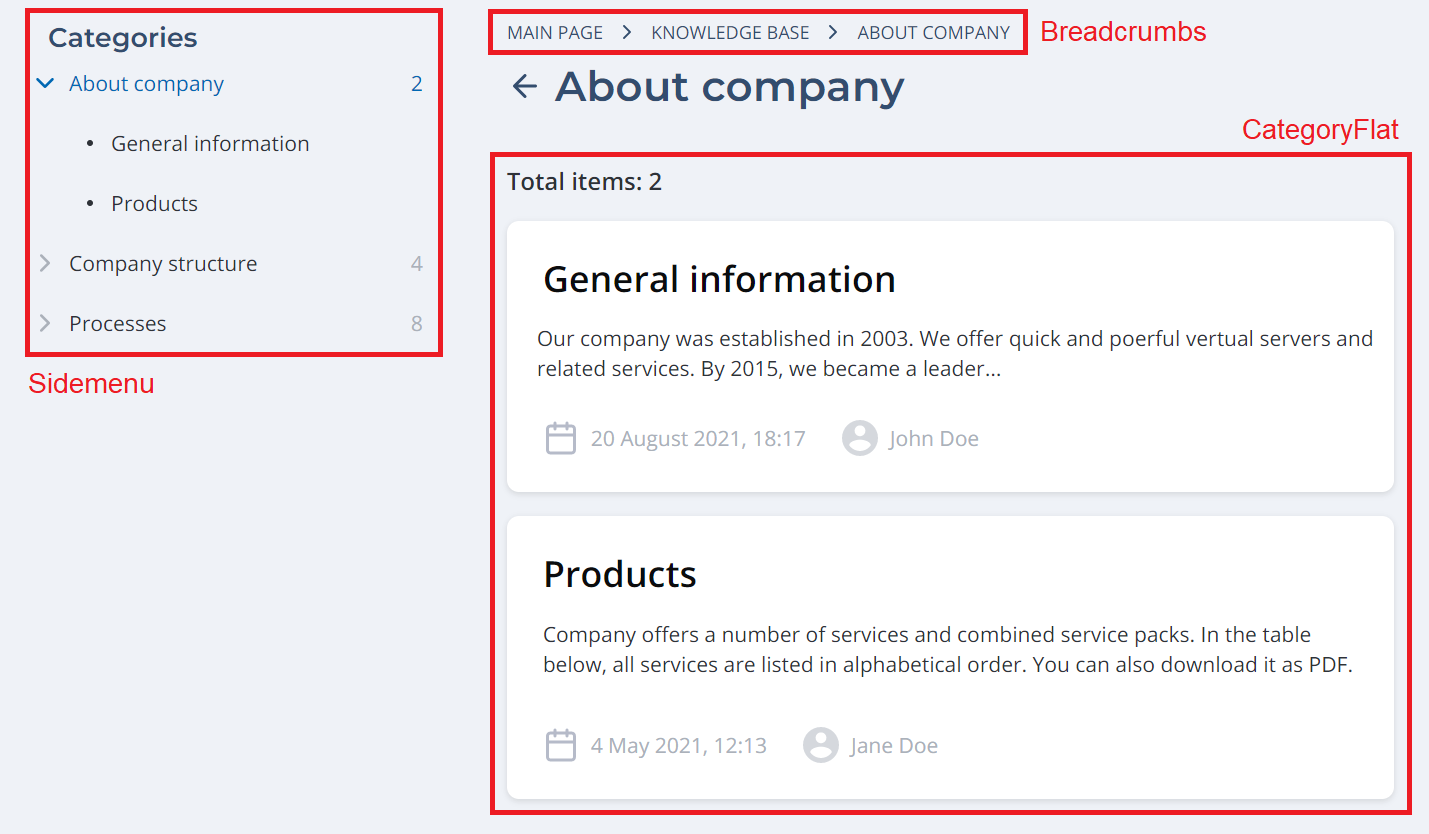
The page references the dedicated portal node with the following attributes:
| Field | Value |
|---|---|
| Enable dynamic nodes | true |
| Category parent column | Parent KB Category (parent_knowledge_base_category) |
Breadcrumbs widget configuration
To configure breadcrumbs, use the attribute values as in the example below. Type these values in the Template field of the <breadcrumbs> widget form:
breadcrumbs
<div class="portal__breadcrumbs customized">
  <breadcrumbs>
</div>
After that, define the breadcrumbs view in the CSS field of this form:
breadcrumbs CSS
.customized {
  font-family: Tahoma,Verdana,Segoe,sans-serif;
  background: #FFFFFF;
  padding: 9px 0px 8px 16px;
}
Sidemenu widget configuration
To configure a sidemenu widget, use the following template:
sidemenu
<SideMenu
  parentsDepth="1"
  childrenDepth="1"
  includeCategories="1"
  includeItems="1"
></SideMenu>
CategoryFlat widget configuration
To configure a categoryFlat widget, use the following template in the Knowledge Base List widget instance:
categoryFlat
<CategoryFlat
  nodeId="158934872713077631"
  categorySubject="name"
  categoryDescription="description"
  itemDescription="body"
  itemSubject="name"
  date="sys_created_at"
  user="sys_created_by"
></categoryflat>
Form widget configuration
The Knowledge Base widget is basically a Form widget surrounded by <div> elements.
To configure a form widget for the Knowledge Base, use the following template in the Knowledge Base Item Form widget instance:
Knowledge Base form
<div class="portal__kb_item">
  <Form
    tableName="article"
    sysid={data.item}
    view="SP"
    uiActions="false"
    userScripts="true"
  ></Form>
<div>