Loyalty Card
The information on individual accounts is available in the Loyalty Card widget. The widget is designed for a given loyalty program. This article describes a widget designed specifically for the loyalty program of the Grandbazar company.
Roles required:
- employees with access to the portal can view the balance of their own accounts only,
- managers of all levels can view the balance of subordinate accounts,
- hrm_agent can view the balance of all employees.
Access the widget
To view the balance of your account, go to User menu → Profile. The Loyalty Card widget is located in the upper-right corner of the main working area.
You can also view the balance of a subordinate's or colleague's account. To do so, go to the profile of the required employee using the Organization Structure widget.
Widget layout
If the required employee is not registered in the loyalty program, the widget displays the following message:

If the required employee is registered in the loyalty program, the widget displays the following information:
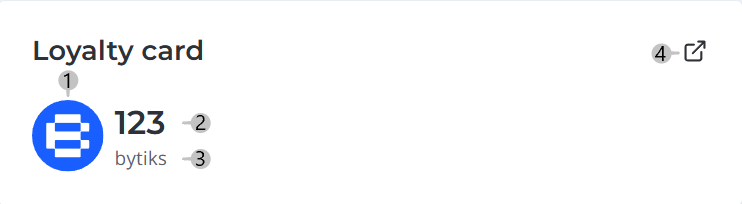
Legend:
- Corporate currency symbol
- Account balance
- Corporate currency name
- Link to the loyalty program provider