Agent and Service Satisfaction
The Agent satisfaction and Service satisfaction fields are present on forms to evaluate the agent performance. Both fields have the same set of values:
- Below Expectations
- Meets Expectations
- Above Expectations
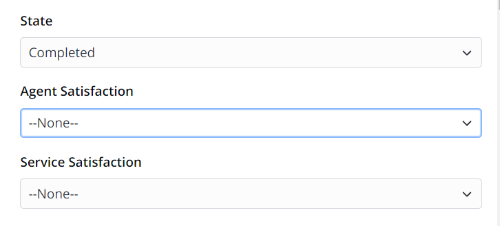
On the Self-Service Portal, the caller can assess the results. The values of these evaluations are connected with the values of the choice options:
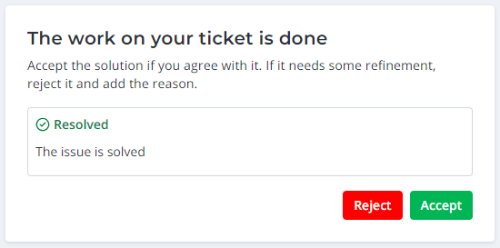
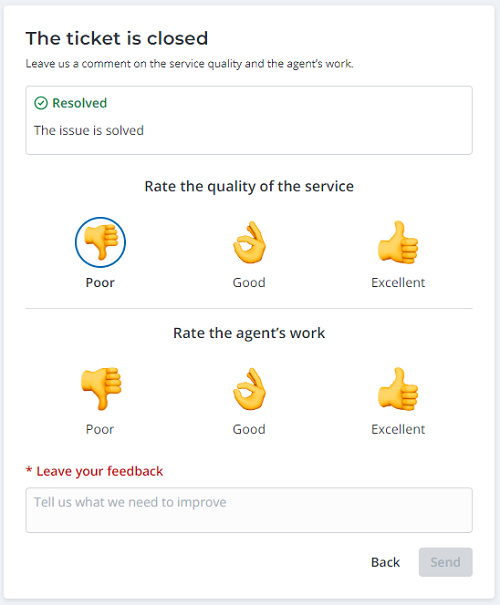
If the caller accepts the solution, the ticket state will be changed to Closed and the evaluation form will be opened. The values of these evaluations are connected with the values of the choice options in the agent interface:
- Below expectations = Poor
- Meets expectations = Good
- Above expectations = Excellent
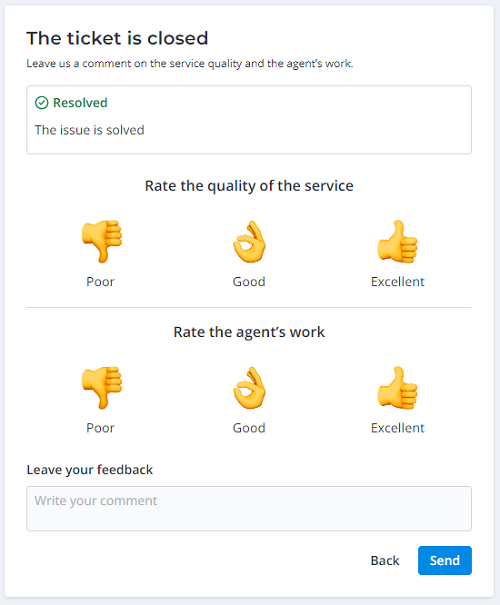
The user may skip it and send the empty form without evaluation. The feedback field is optional unless at least one of the evaluations is set to Poor. In this case, the feedback field becomes mandatory:
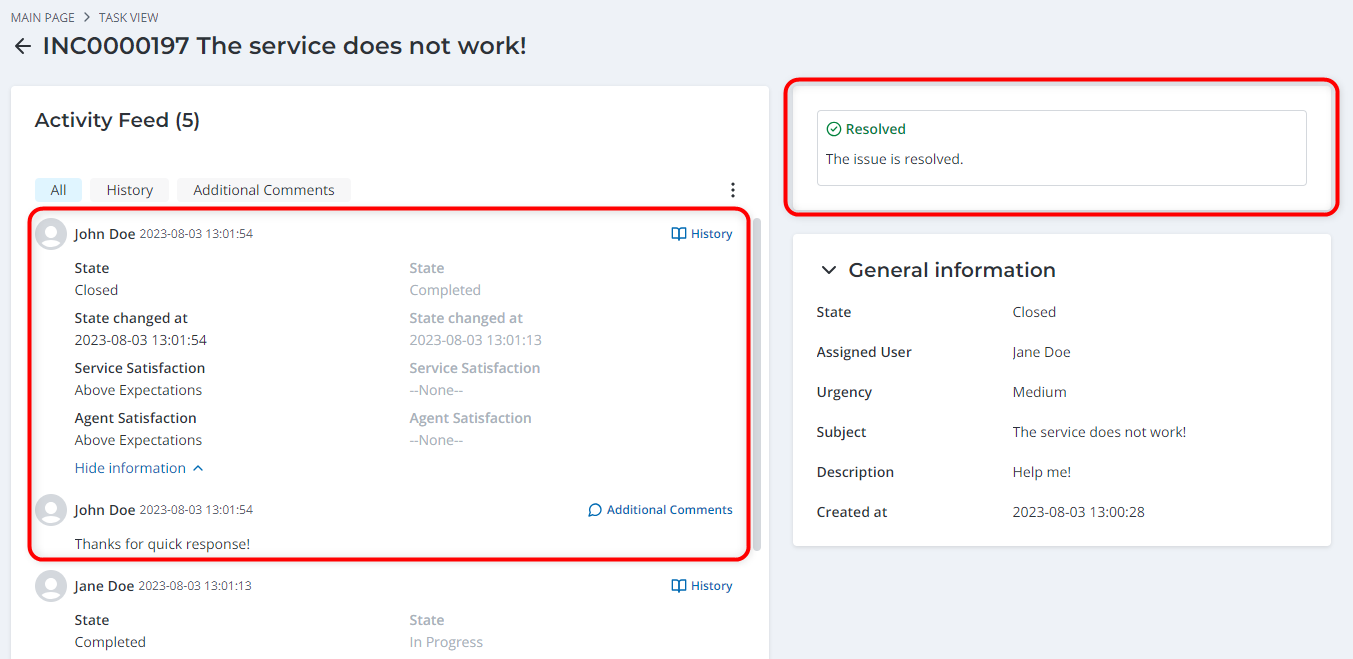
The change of the ticket state, user evaluation and feedback message are added to the Activity Feed. The closure note is displayed in the upper right corner of the task view:
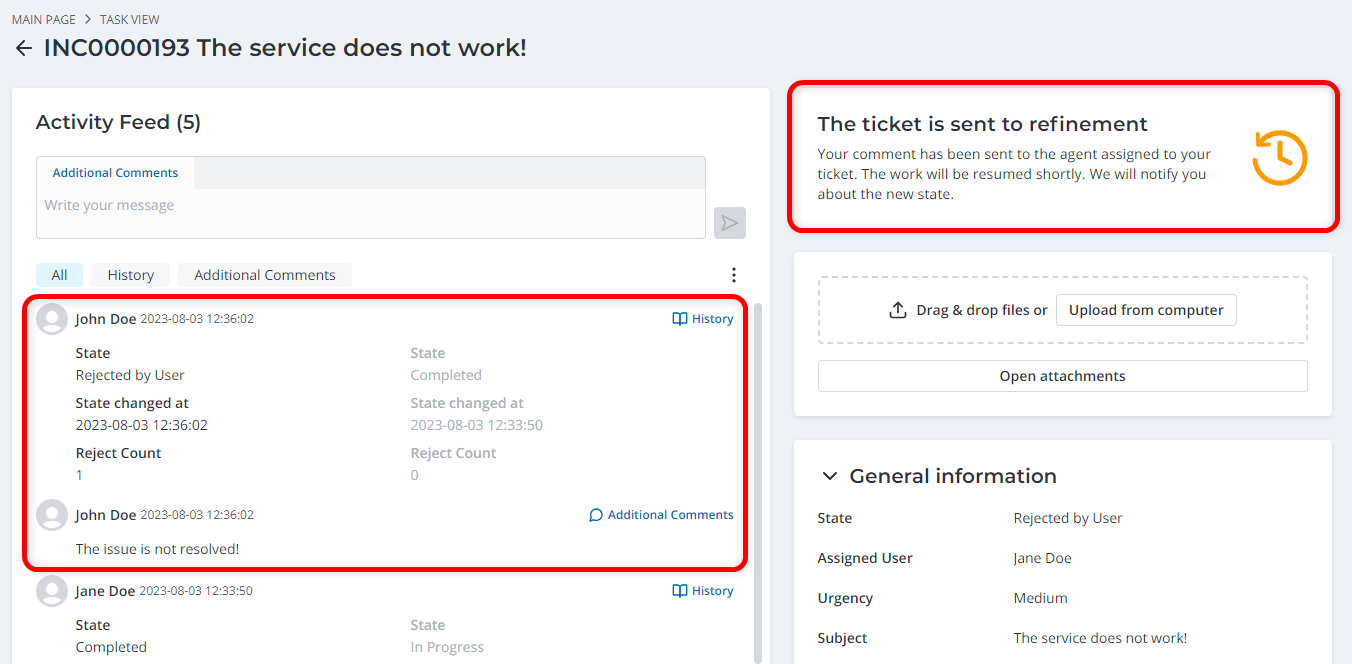
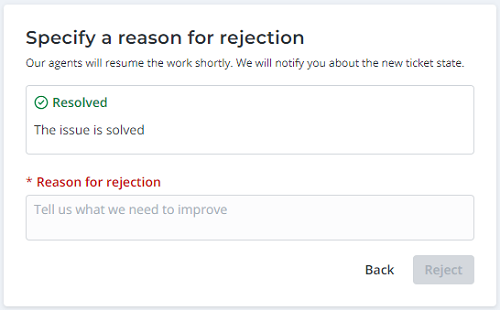
If the caller rejects the solution, the ticket state changes to Rejected by user and the caller should specify the reason for rejection. This comment is required for the completion of the evaluation procedure.
After that, the user will see the following message:
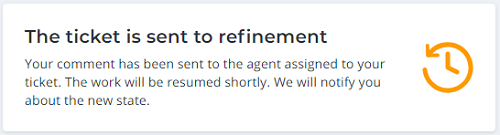
The change of the ticket state and the reason for rejection are added to the Activity Feed. The resumption message remains on the page in the upper right corner of the task view: