Portal Structure and Services
Service relationship structure
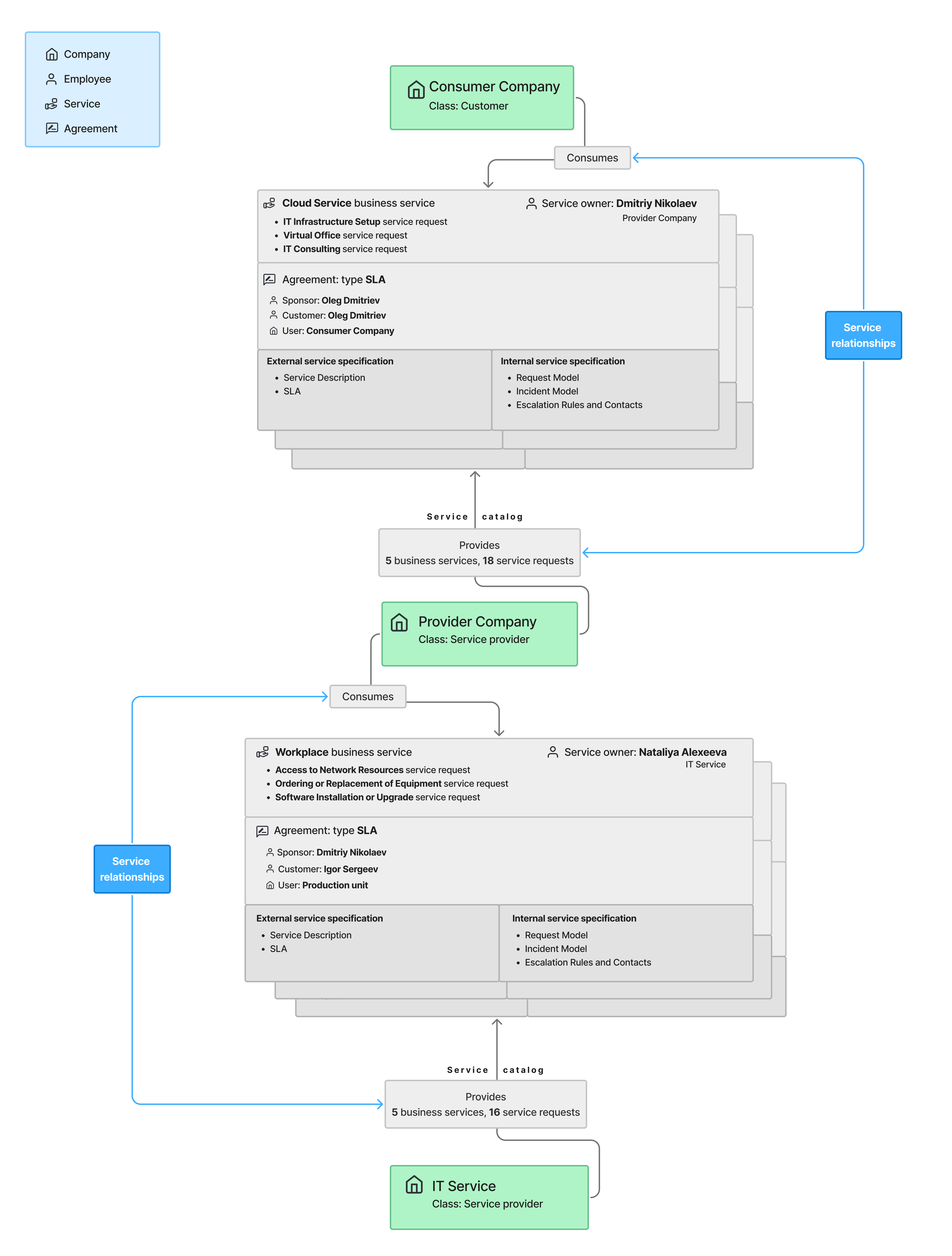
The diagram below shows service relationships using the demo data as an example.
Service relationships are structured interactions between a service provider and a service consumer aimed at the co-creation of value. They establish how the parties communicate, collaborate, and share responsibilities over the entire service lifecycle.
Service providers manage services: they design service catalogs, deliver services, and support them in alignment with consumer requirements. Meanwhile, service consumers not only use services but also participate in defining service requirements, as well as provide feedback for their improvement.
Often, companies both provide and consume services. An example of this is shown on the diagram below. The Provider Company not only delivers the Cloud Service to the Consumer Company, but also consumes the Workplace service provided by the IT Service company.
In the course of service interactions, the consumer company employees create service requests and report incidents to obtain services and resolve problems. From these service requests and incidents, the provider company employees can create problem records, change requests, and tasks. These tickets are processed by the company staff. Service descriptions, SLAs, request and incident models, as well as escalation rules and contacts are available to the provider company employees in the knowledge base of the agent interface. The consumer company employees can only access the external service specification (service description and SLA) on the portal.
Service Catalog structure
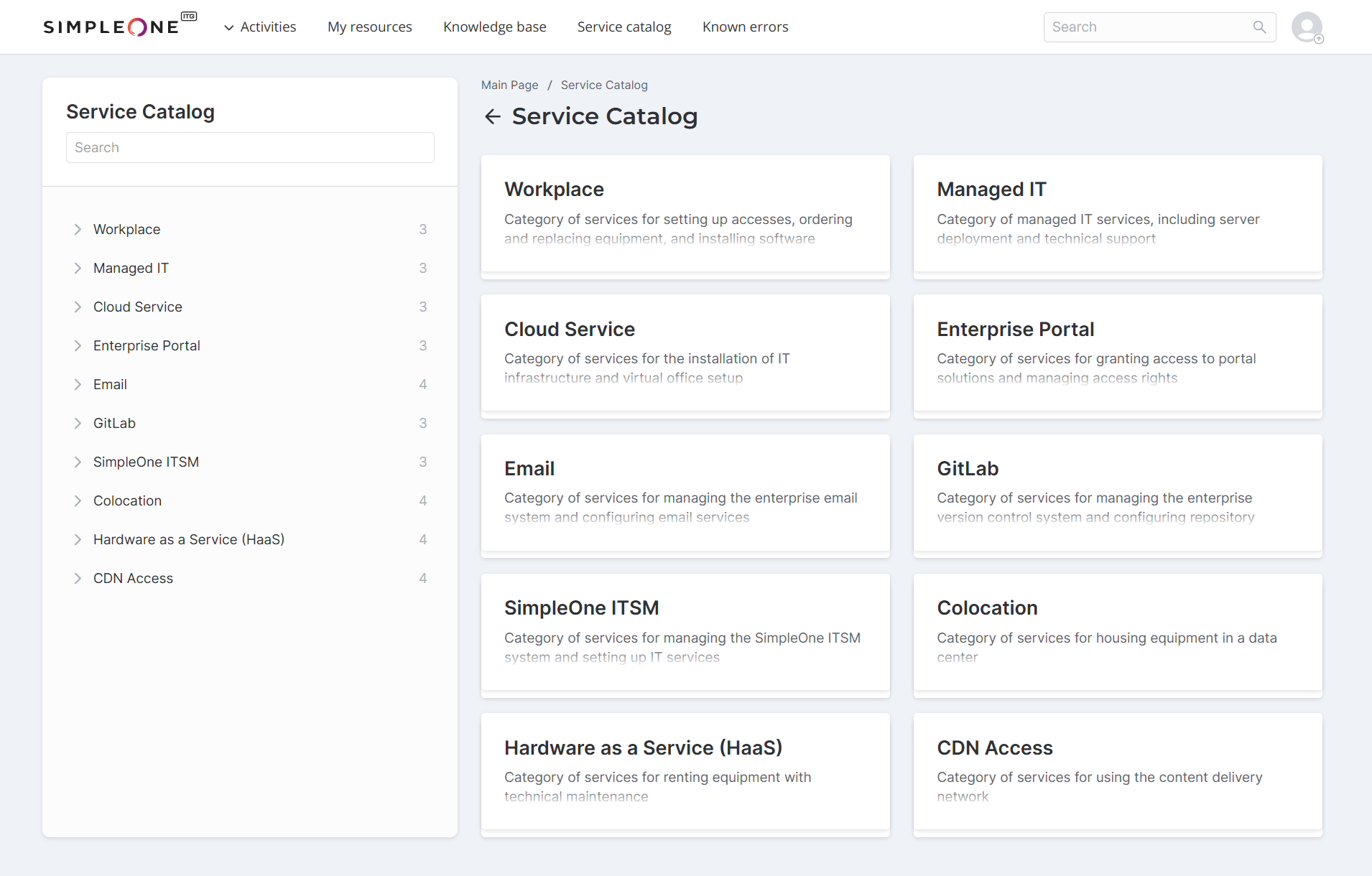
The demo Service Catalog includes services of the Request type. They are grouped into 10 categories, which are services of the Business type.
Categories and services
| Service category | Description | Services |
|---|---|---|
| Workplace | A category of services for setting up accesses, ordering and replacing equipment, and installing software. |
|
| Managed IT | A category of managed IT services, including server deployment and technical support. |
|
| Cloud Service | A category of services for the installation of IT infrastructure and virtual office setup. |
|
| Enterprise Portal | A category of services for granting access to portal solutions and managing access rights. |
|
| A category of services for managing the enterprise email system and configuring email services. |
| |
| GitLab | A category of services for managing the enterprise version control system and configuring repository access. |
|
| SimpleOne ITSM | A category of services for managing the SimpleOne ITSM system and setting up IT services. |
|
| Colocation | A category of services for housing equipment in a data center. |
|
| Hardware as a Service (HaaS) | A category of services for renting equipment with technical maintenance. |
|
| CDN Access | A category of services for using the content delivery network. |
|
To submit a service request, a user needs to:
- Open the Service Catalog.
- Select a service category.
- Select a service and fill in the corresponding form.
- Click Send.
Knowledge Base structure
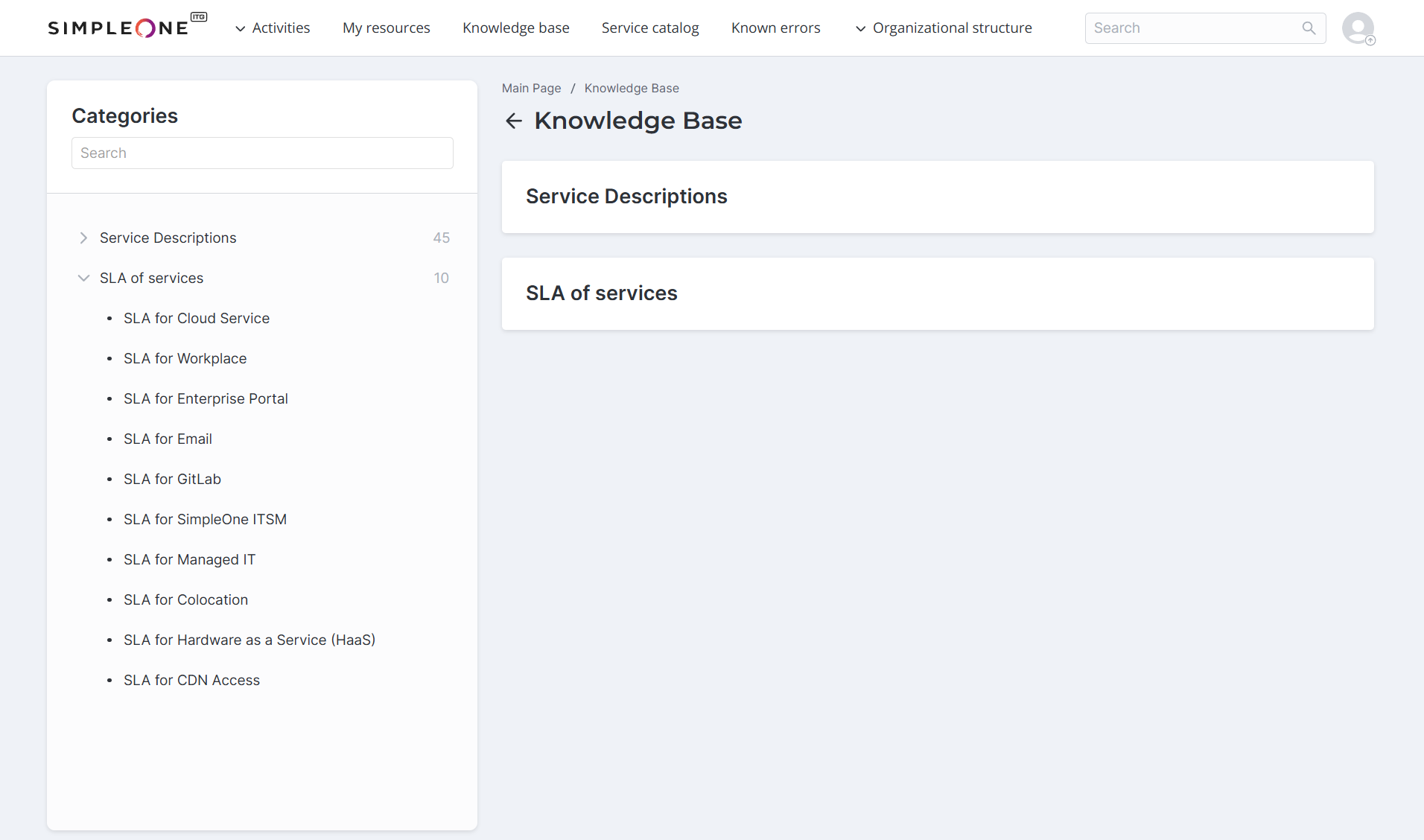
Employees, clients, and partners can access the service descriptions and SLAs in the portal Knowledge Base. Request and incident models, as well as escalation rules and contacts are available only to employees in the agent interface.
-
The Service Descriptions section contains descriptions of all the provided services.
-
The SLA of services section contains information about the terms and commitments for every service category.
Each SLA consists of the following parts:
- Agreement – general information about the SLA.
- Service Level Parameters – the agreed service uptime (ASU), agreed support time (AST), and minimum period of service provision.
- Processing time for a service request – the accepted period within which a service request should be processed. The processing times are provided for each service included in the category.
- Limitations – the rules beyond which the service cannot be extended. The limitations are provided for each service included in the category.
Available only to employees in the agent interface, the internal service specification contains:
- Service Request Models – detailed descriptions of how service requests in each category are created and processed.
- Standing Orders – incident models together with escalation rules and contacts.
Known Error Database
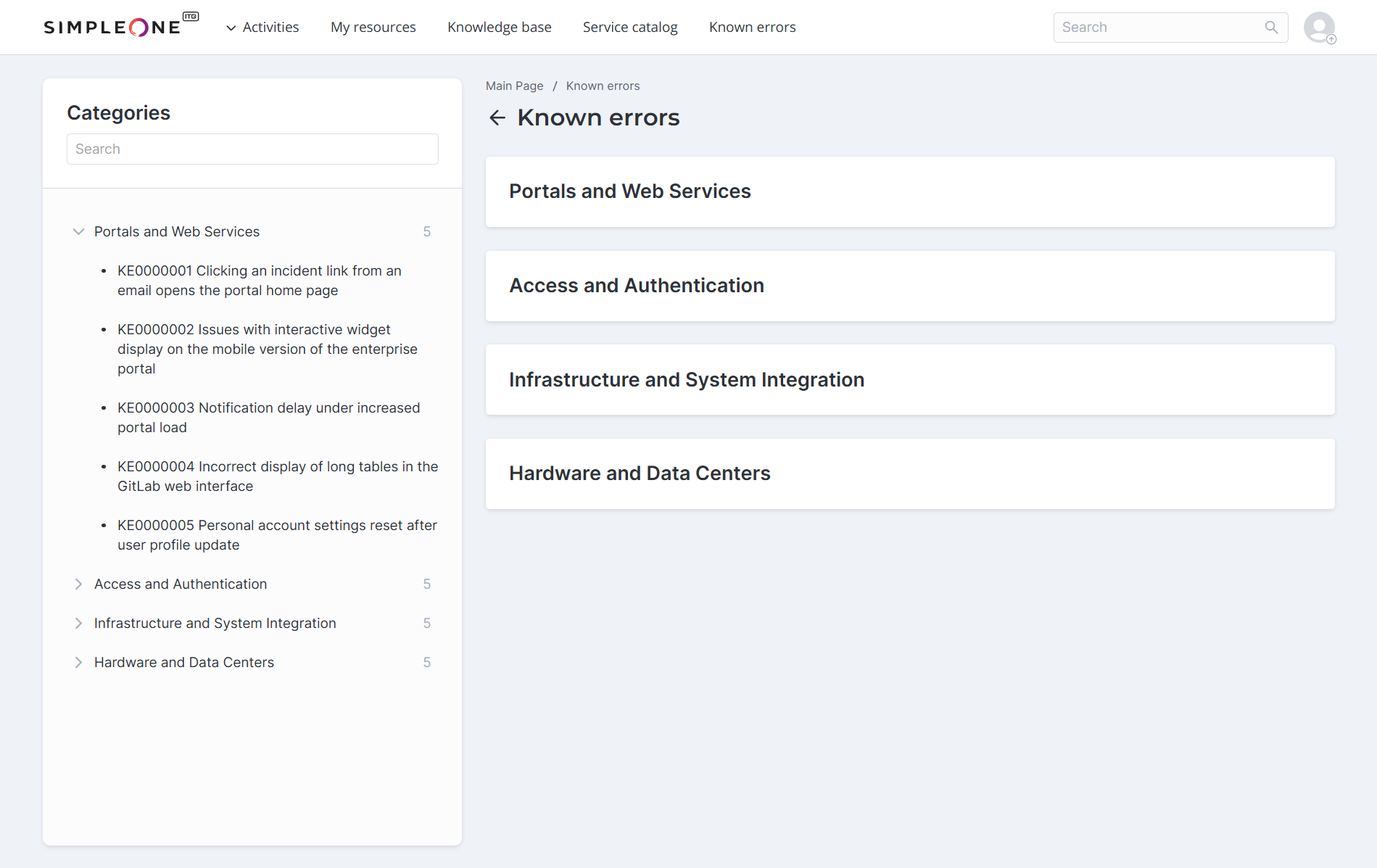
Also included in the demo data is the Known Error Database (KEDB).
The KEDB contains outstanding demo known errors grouped by KB category.
Announcements
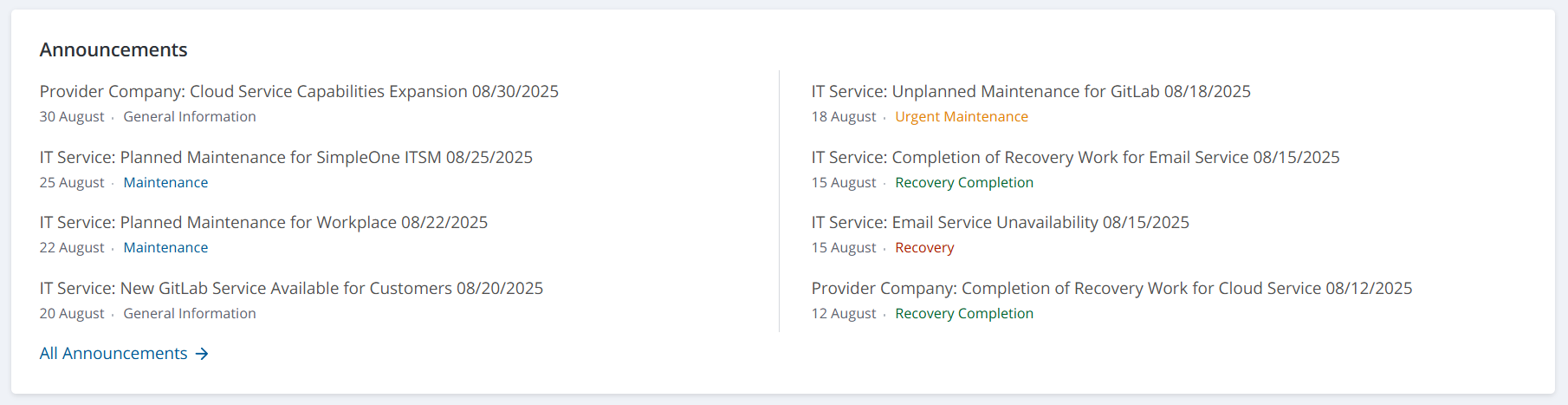
The demo portal displays the following announcements.
Announcements
| Subject | Type |
|---|---|
| Provider Company: Cloud Service Unavailability 08/12/2025 | Recovery |
| IT Service: Email Service Unavailability 08/15/2025 | Recovery |
| Provider Company: Completion of Recovery Work for Cloud Service 08/12/2025 | Recovery Completion |
| IT Service: Completion of Recovery Work for Email Service 08/15/2025 | Recovery Completion |
| IT Service: Unplanned Maintenance for Enterprise Portal 08/10/2025 | Urgent Maintenance |
| IT Service: Unplanned Maintenance for GitLab 08/18/2025 | Urgent Maintenance |
| IT Service: Planned Maintenance for Workplace 08/22/2025 | Maintenance |
| IT Service: Planned Maintenance for SimpleOne ITSM 08/25/2025 | Maintenance |
| IT Service: New GitLab Service Available for Customers 08/20/2025 | General Information |
| Provider Company: Cloud Service Capabilities Expansion 08/30/2025 | General Information |